
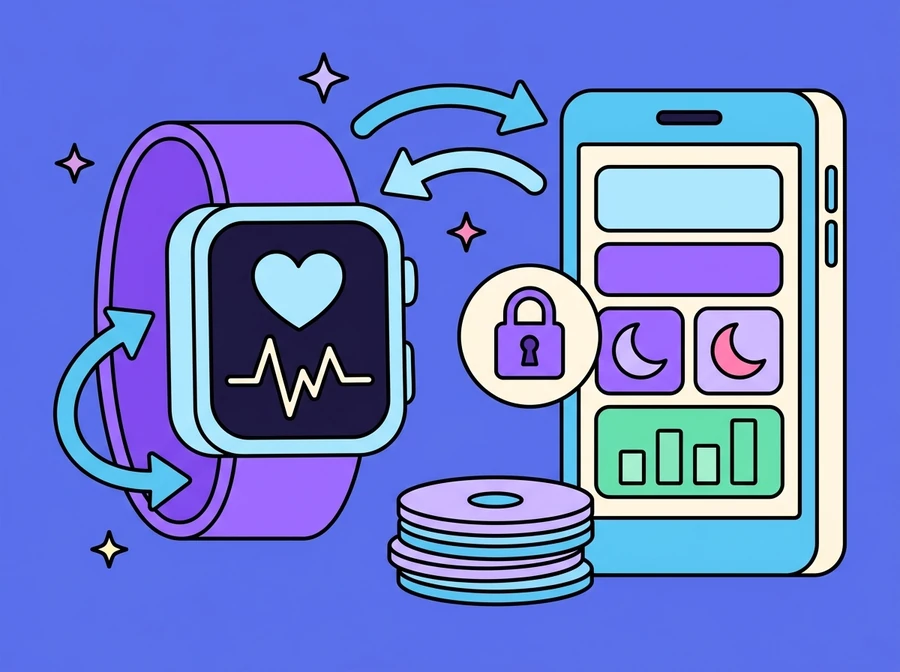
Work that connects your app to the health store already sitting on the user's own device: Apple Health through HealthKit on iPhone and Apple Watch, Health Connect and Google Fit on Android and Wear OS, and the wearables that write into them, such as Fitbit, Garmin and Samsung watches. What can be read runs from steps and distance through workouts, energy burned, heart measurements and sleep broken into stages, to weight and even blood glucose where a meter writes into the store. None of it happens unless the user grants access. The hard part is not the API call, it is turning readings that arrive in batches, arrive late, arrive out of order and arrive twice from two sources into one set of numbers you can trust, then placing them next to something that means something to that person.
Who it is for
Health, fitness and nutrition businesses with an app of their own or planning one, clinics and hospitals with a patient-facing app, and organisations running employee wellbeing programmes, where the aim is for the app to know a user's activity and sleep from the device they already wear instead of asking them to type it in every day.
What can actually be read, and where it comes from
Most of this data does not live with the device maker, it lives in a central store on the user's own phone. On iPhone and Apple Watch that store is Apple Health, which apps reach through HealthKit; on Android and Wear OS it is Health Connect and Google Fit. Watches and bands from Fitbit, Garmin or Samsung write their measurements into those stores, so your app reads from one place instead of integrating with each manufacturer's API in turn, and nothing has to be rebuilt the day a user switches watch brands.
What is available covers daily movement (step count and distance, and workouts with their type and duration), energy in both forms (active energy burned and resting energy), the heart measurements (heart rate through the day, resting heart rate and heart rate variability), blood oxygen, sleep broken into stages with the time the user went to bed, the time they woke and the total duration, weight and body composition, and blood glucose in the case where the user's own meter writes into the store. The thing to check before designing a feature is what the target users actually wear, because heart rate variability, blood oxygen and sleep staging depend on the device measuring them and writing them in. Not every device does.
- Movement: step count, distance, and workouts with their type and duration
- Energy: active energy burned during movement, and resting energy
- Heart: heart rate through the day, resting heart rate, and heart rate variability
- Sleep: broken into stages, with bedtime, wake time and total duration
- Body: weight, body composition, and blood oxygen
- Blood glucose, where the user's meter writes into the store
The permission belongs to the user, not to the app
Access is granted per data type. A user can allow steps but not heart rate, can allow reading without allowing your app to write anything back, and can revoke the lot at any time from the operating system's own settings without ever opening your app. So we ask only for the types a feature genuinely uses, ask at the moment the user is about to use that feature, and say plainly what it is for, rather than requesting everything at once on first launch, which is the moment people are most likely to refuse.
The constraint that changes how the screens are written is this: on iOS an app cannot tell whether read access was denied or the data simply is not there. Both come back empty, deliberately, so that an app cannot infer something about a person's health from the fact that they said no. The empty state therefore has to be written to mean both things at once. It should not accuse the user of having refused; it should offer two ways forward, a shortcut into settings to check the permission, and manual entry for someone who does not want to connect anything yet. To be plain about it: this is a permission-driven integration, not a way to obtain data about someone without their knowledge. If the user says no, there is no data, and the product still has to work.
- Access requested per data type, and only for the types a feature uses
- Requested at the point of use, with a clear statement of what it is for
- Handles read access granted without write access
- The user can revoke at any time from system settings, and the app has to cope
- On iOS, denial and absence are indistinguishable, so the empty state must cover both
- Every core feature still usable without access, through manual entry
Not a live feed: it arrives in batches, arrives late, and arrives twice
The assumption that breaks these systems most often is that readings appear the moment they are measured. In practice they arrive in batches when the watch syncs with the phone, which can be hours later. Last night's sleep may show up mid-morning. Yesterday's workout may be backfilled after you have already totalled that day. The order things arrive in has nothing to do with the order they happened in. So the system is built on the assumption that yesterday's numbers can still change, recomputing summaries when new data lands rather than closing a day off and treating it as final.
Then there are duplicates. One workout can appear as two records because the phone and the watch each wrote their own version into the store, or because another brand's app wrote a third. We keep the identifier the store gives each sample, along with its source and its time range, and de-duplicate by a rule agreed in advance, such as preferring one primary source per metric over any overlapping period. Measurement time is stored separately from arrival time, with the time zone kept alongside it, because sleep that crosses midnight and travel across time zones both throw daily bucketing off very easily. And when the user deletes a sample from the store, our copy has to go with it.
- Incremental sync rather than re-reading the whole store each time
- Each sample's identifier and source kept, so a repeated read is not counted twice
- A de-duplication rule for when the phone and the watch record the same activity
- Measurement time stored separately from arrival time, with the time zone
- Daily summaries recomputed when backfilled data arrives
- Our copy deleted when the user deletes a sample from the store
The value is in what the numbers sit beside, and what PDPA asks of you
How many steps someone walked today is a number they can already open the phone's own health app to see, so mirroring it back to them adds nothing. What adds something is putting those readings next to something else that matters to that person: sleep beside the week's workload or training schedule, activity beside the day's nutrition target, resting heart rate as a trend across several weeks rather than one figure for today. It is the same pattern we use in HEALTH ME, where the food diary sits beside blood test results with their reference ranges and trend charts, because a single number says very little while a number with something to compare it against says a good deal. The product also has to be explicit that this helps a user see their own picture: it is not a diagnosis and it does not replace medical advice.
Health data is sensitive personal data under Thailand's PDPA, and the operating system allowing your app to read it does not mean the organisation has a lawful basis for holding it. Consent has to be explicit and specific, stating what is collected, what for, how long it is kept and who can see it, separate from a general acceptance of terms of service. We design for storing only what a feature genuinely needs; in many cases a daily summary is enough and there is no reason to copy every raw sample to a server, and some work can be done on the device with only the result sent up. The rest is groundwork that belongs in the design from day one: encryption in transit and at rest, limits on who inside the organisation can reach the data, a retention policy with deletion when it expires, and controls in the app itself that let a user withdraw consent, request a copy and have their data deleted, rather than having to send an email and hope.
- Readings placed next to a goal, a workload or a test result, so they can be read
- Trends across weeks rather than a single figure for today
- Stated clearly as self-tracking information, not a diagnosis
- Specific, purpose-bound consent stating what is kept and for how long
- Store only what is used, for example a daily summary instead of every raw sample
- Encryption, internal access limits, and deletion when retention expires
- Withdraw consent, request a copy and delete the data, from inside the app
What it does
- Reads Apple Health through HealthKit on iPhone and Apple Watch
- Reads Health Connect and Google Fit on Android and Wear OS
- Takes readings from devices that write into those stores, such as Fitbit, Garmin and Samsung watches
- Covers steps, workouts, energy, heart measurements, sleep, weight and blood glucose
- Access requested per data type, at the moment the feature is used
- Screens that keep working when access is refused or no data exists
- Incremental sync with de-duplication by each sample's identifier
- Handles late and out-of-order data, recomputing daily summaries
- Readings placed beside a goal, a workload or a test result so they can be read
- Purpose-bound consent, withdrawable, with deletion, in line with PDPA

Want something like this?
Tell us your situation and we will work out what needs adapting to fit it.